
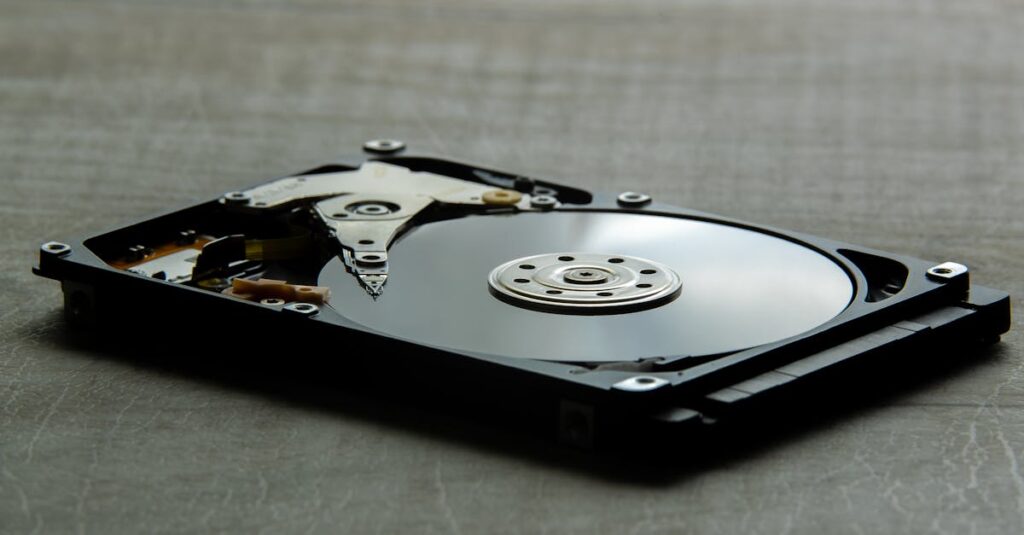
Expert Mac Data Recovery in Bend, Oregon
We know the feeling. The flashing folder with a question mark on startup. A spilled cup of coffee. A hard drive that’s making a strange clicking noise. Losing access to your photos, work documents, and personal files is incredibly stressful.
Take a deep breath. At MacTek, we’ve spent over a decade helping the Bend community recover their digital lives.
Because we are dedicated Apple specialists, we understand Mac hardware and Apple’s specific file systems (APFS and HFS+) inside and out. We don’t just guess; we use specialized tools and years of experience to safely extract your data and get you back up and running.
Our Apple Data Recovery Services
Whether your Mac is just running slow or completely dead, we can help.
We routinely recover data from:

Failing Hard Drives & SSDs:
If your Mac is freezing, running incredibly slow, or showing a flashing folder on startup, your drive may be failing. Pro tip: Turn off your computer immediately to prevent further data loss and bring it in.
Accidental Deletion & Formatting:
Emptied the trash by mistake? Formatted the wrong drive? If you act quickly and stop using the computer, we can often recover those “lost” files.
Dead Logic Boards & Power Issues:
If your Mac won’t power on at all, don’t panic. We can safely remove the internal drive or bypass the dead components to access your files.

Need Data Recovered from an iPhone or iPad?
Because Apple mobile devices require specialized micro-soldering and completely different recovery techniques than computers, we partner directly with our sister company, The iPhone Professor, located in the same building right here in Bend.
If you have a water-damaged iPhone or an iPad stuck in a boot loop, they are the local experts in mobile device data recovery.
Learn more about iPhone Data Recovery at The iPhone Professor
The MacTek Data Recovery Process
We believe in transparent pricing and keeping your data secure.
Here is what you can expect when you bring your Mac to our shop on Greenwood Ave:

Why Choose MacTek for Data Emergencies
Local & Secure: Your drive stays right here in Bend. You don’t have to mail your sensitive personal or business data across the country to a faceless lab.
Mac-Only Experts: We aren’t a generic PC shop trying to figure out how a Mac works. We specialize in Apple products.
Honest Assessments: We are always straightforward with you. If your drive requires a Level 3 cleanroom recovery (which usually means a catastrophic physical failure), we will be honest about that rather than charging you for a failed attempt.
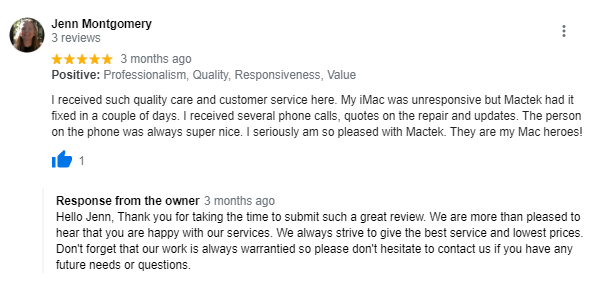
Great Reviews
Find us on Facebook, Yelp, and Google, and see what our wonderful clients have to say.

Frequently Asked Questions (FAQs)
My Mac has a flashing folder with a question mark. Is my data gone?
Not necessarily! This just means your Mac can’t find its operating system. Sometimes it’s a software issue, and sometimes the drive is failing. Turn the computer off right away and bring it in for diagnostics.
Do you look at my personal files?
Absolutely not. We use automated software to verify the integrity of the recovered file structure. We respect your privacy and have strict protocols to ensure your data remains confidential.
Can you recover data from a dead MacBook?
Yes. Even if the screen is broken, the battery is dead, or the logic board has water damage, the storage drive itself is often unharmed.

Don’t risk losing your data forever.
If you suspect your hard drive is failing, the best thing you can do is turn off your Mac to prevent further damage.
Give us a call at (541) 848-3103, or stop by our shop at 416 NE Greenwood Ave in Bend. We’re here to help make your tech experience carefree again!